
Blog Post
Explore our latest articles, updates, and featured stories.

What Is Phishing, Really?
Real Examples and How to Spot Them
You’ve heard the warnings. “Don’t click suspicious links.” “Watch out for phishing emails.” But most people picture phishing as an obviously fake email from a “Nigerian prince” badly written, riddled with typos, easy to spot a mile away.
That version of phishing still exists, but it’s not the one costing companies and individuals billions of dollars every year. Phishing remains the most frequently reported cybercrime category in the United States, with well over 190,000 complaints filed in a single year (FBI IC3, 2025 Annual Report). Modern phishing is polished, personalized, and increasingly hard to distinguish from the real thing. Here’s what it actually looks like today and how to protect yourself.
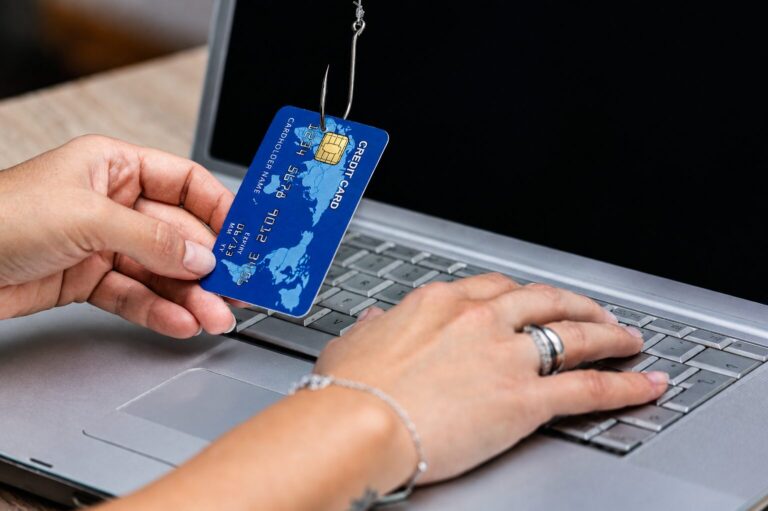
Phishing is a social engineering attack where someone impersonates a trusted person, brand, or system to trick you into handing over sensitive information, clicking a malicious link, or taking an action that benefits the attacker like transferring money or installing malware.
The “hook” isn’t a technical exploit. It’s psychology. Phishing works by manufacturing urgency, fear, curiosity, or trust, and then short-circuiting your normal skepticism before you have time to think. That’s likely why security researchers consistently find that a large majority of successful breaches trace back to a human element phishing, stolen credentials, or social engineering rather than a purely technical flaw Verizon Data Breach Investigations Report, 2026
The Main Types of Phishing
Email phishing is the classic form: a fraudulent email designed to look like it’s from a legitimate sender, your bank, a coworker, a delivery service asking you to click a link or open an attachment.
Spear phishing targets a specific person using details gathered about them: your job title, your manager’s name, a recent purchase, even your writing style. It’s far more convincing than generic phishing because it feels personal.
Whaling is spear phishing aimed at executives or high-value targets, often to authorize large wire transfers or access sensitive company data.
Smishing and vishing move the attack to text messages (SMS) and phone calls. A text claiming to be from your delivery carrier, or a call from “your bank’s fraud department,” follows the same psychological playbook.
Business Email Compromise (BEC) involves attackers impersonating a company executive or vendor often after compromising a real email account to request fraudulent payments or sensitive data. This category alone accounted for roughly $3 billion in reported U.S. losses in a single year, averaging well over $100,000 per incident(FBI IC3, 2025 Annual Report).
Clone phishing takes a legitimate email you’ve already received and resends a near-identical copy with the link or attachment swapped for a malicious one.
Real-World Examples
- The fake invoice: An email that looks like it’s from a vendor you actually work with, with a PDF attachment labeled “Invoice_Overdue.pdf.” Opening it either installs malware or leads to a fake login page designed to steal credentials.
- The “urgent” CEO request: An email appearing to be from your CEO, sent to someone in finance, asking for a wire transfer to be processed quickly and quietly often citing a confidential deal or time pressure to prevent verification. Requested wire amounts in these schemes have climbed sharply in recent reporting periods, with average asks tens of thousands of dollars higher than the year before (FBI IC3, 2025 Annual Report).
- The shipping notification: A text message claiming a package couldn’t be delivered, with a link to “reschedule delivery” that leads to a fake site harvesting payment details.
- The IT helpdesk call: A phone call from someone claiming to be IT support, asking you to verify your password or install “security software” which is actually remote-access malware.
- The account suspension email: A message that looks like it’s from Microsoft, Google, or your bank, warning that your account will be locked unless you “verify your identity” immediately by logging in through a provided link.
What connects all of these: a trusted identity, a request that feels urgent or routine, and a way to act without much hesitation.
The Local Angle: Phishing in the Philippines
Phishing isn’t an abstract, far-off problem for Filipinos, it’s arguably one of the fastest-growing digital threats in the country right now. As mobile banking and e-wallets have become the default way people manage money, they’ve also become the default target: phishing websites aimed at Filipino users jumped by 423% in a single year, and phishing or link-based attacks have overtaken scam calls and SMS as the country’s top digital threat as scammers shift toward more scalable, harder-to-block tactics (Check Point Research, Philippine Threat Landscape Report 2025; Whoscall 2025 Philippines Scam Report). What makes this especially concerning locally is how organized and technically sophisticated these campaigns have become security researchers have documented ongoing operations that impersonate Philippine banks using compromised email accounts, real-time OTP theft via Telegram bots, and even hijacked legitimate .ph websites to host fake login pages, all engineered to drain accounts within minutes of a victim entering their credentials (Group-IB, “Hooking the Archipelago: Dissecting a Phishing Campaign Targeting Philippine Banking Use…).
The takeaway for anyone banking or transacting online in the Philippines: treat any unsolicited “urgent” message from your bank with the same skepticism you’d give a stranger asking for your ATM PIN, verify through your bank’s official app or hotline, never through a link in an email or text, and report anything suspicious to your bank and the PNP Anti-Cybercrime Group (#8-CYBERCRIME or acg.pnp.gov.ph) right away.
What to Do If You Spot One
- Don’t click, reply, or download anything.
- Report it. Most email clients have a “report phishing” button, and most companies have an IT/security channel for this.
- If you’re unsure whether a request is real, verify through a separate communication channel (call the person directly, don’t reply to the email).
- If you already clicked or entered credentials, change your password immediately and notify your IT/security team.
The Bottom Line
Phishing isn’t going away, it’s evolving, and the price tag keeps proving it: breaches that start with phishing now average somewhere around $4.8 million each to contain, and take longer than average to even detect (IBM Cost of a Data Breach Report, 2025). AI tools now let attackers write flawless, personalized messages at scale one recent industry threat-network analysis found that over half of sampled phishing emails in a given month showed signs of AI assistance and deepfake audio has already been used to impersonate executives on phone calls (Hoxhunt Phishing Trends Report, 2026). The old advice to “watch for bad grammar” isn’t enough anymore.
The real defense is a habit: pause before you act on urgency, verify unexpected requests through a second channel, and treat “trust, but verify” as the default especially when money, credentials, or sensitive data are involved.
Sources referenced:
- FBI Internet Crime Complaint Center (IC3), 2025 Annual Report
- Verizon Data Breach Investigations Report (DBIR), 2026
- IBM Cost of a Data Breach Report, 2025
- Anti-Phishing Working Group (APWG), Q4 2025 Report
- Hoxhunt Phishing Trends Report, 2026
- Check Point Research, Philippine Threat Landscape Report 2025; Whoscall 2025 Philippines Scam Report
- Group-IB, “Hooking the Archipelago: Dissecting a Phishing Campaign Targeting Philippine Banking Use…”